AI Phone
Need a break from HOA calls? Try AI Phone
Handle those frustrating HOA calls for you with AI Phone, so you can relax and skip the hassle.
How AI Phone Can Handle Your Neighborhood HOA Calls So You Don’t Have to

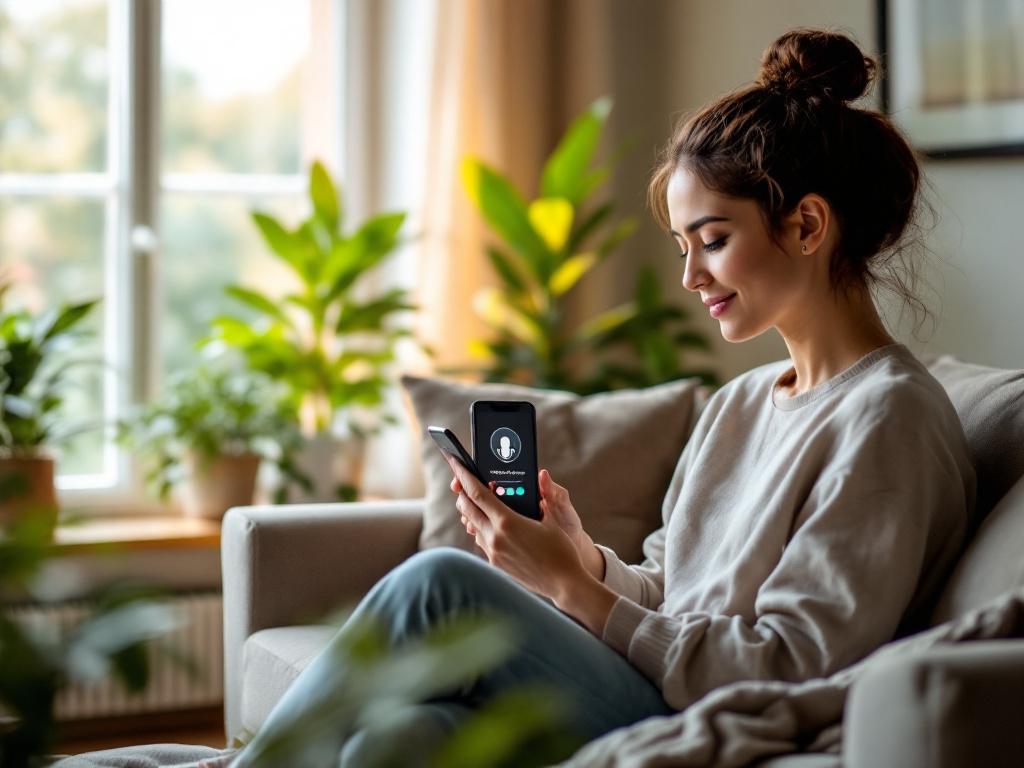
Picture this. It’s Tuesday evening, you just sat down with a glass of wine and a plate of takeout, and your phone buzzes. It’s your HOA president with a question about the new fence rules. Before you can even type a response, another text rolls in. Then another. Suddenly, your relaxing night has turned into a back-and-forth marathon of “Did you see the email?” and “Can we meet about this?”
Sound familiar? Homeowners Association (HOA) calls can feel like a second job—one that pulls you away from family, work, or that rare moment of peace. The good news? You don’t have to be on the front lines every time your neighborhood needs coordination.
That’s where AI Phone from ai-phone.app comes in. This isn’t just another tech tool. It’s a quiet assistant that can pick up the phone, ask the right questions, and even schedule meetings—all while you enjoy your dinner. No more dodging calls. No more playing phone tag. Just a calm, efficient way to handle the routine stuff so you can focus on what matters.
Let’s dive into how AI Phone can become your HOA’s best ally without you lifting a finger.
### The Hidden Cost of HOA Communication
HOAs exist to keep neighborhoods running smoothly. But let’s be honest—communication isn’t always smooth. Between emails going to spam, texts getting buried, and calls going unanswered, organizing a simple fence inspection or landscaping approval can turn into a week-long saga.
You end up doing the work yourself:
- Calling the landscaping company to confirm availability
- Leaving voice messages for neighbors who don’t respond
- Coordinating meeting times when people are actually free
- Sending reminders and follow-ups
It’s not that you don’t care. It’s that your time is valuable. And those repeated tasks add up. According to a 2023 survey by the Community Associations Institute, HOA board members spend an average of 10–15 hours per month on communication and coordination. That’s almost two full workdays a month just keeping things moving.
What if you could reclaim that time?
With AI Phone, you set the rules. You define what needs to be done, who needs to be contacted, and when. Then, let the AI handle the rest—sending calls, leaving messages, confirming details, and even notifying you only when something needs your attention.
### Common HOA Tasks AI Phone Can Handle
Here are some of the most time-consuming HOA communication tasks that AI Phone can take off your plate:
Booking and Confirming Appointments
- Scheduling landscapers, pool cleaners, or trash pickup
- Confirming inspection dates with city officials
- Booking HOA board meeting rooms at local libraries or community centers
Sending Routine Reminders
- Notifying residents about upcoming dues deadlines
- Reminding contractors about scheduled work
- Alerting neighbors about street sweeping or parking restrictions
Answering and Relaying Messages
- Fielding calls about package delivery issues or noise complaints
- Taking down repair requests and forwarding them to the right person
- Responding to FAQs like “When is the next meeting?”
Coordinating Volunteer Efforts
- Recruiting volunteers for community cleanups
- Organizing meal trains for new residents
- Sending follow-ups after events
Handling Non-Urgent Inquiries
- Answering questions about trash pickup schedules
- Providing contact info for management companies
- Confirming which amenities are open during holidays
Imagine sending a single text to AI Phone: “Call all HOA members who haven’t paid their quarterly dues and remind them the deadline is Friday.”
And then… nothing. No calls to make. No awkward follow-ups. Just a silent assistant working in the background.
### Real-Life Example: The Overgrown Lawn Crisis
Let’s say your HOA has a rule about lawn height. A neighbor’s yard is now waist-high, and no one wants to confront them directly. Instead of sending a passive-aggressive email or leaving a note on their door, you use AI Phone to handle it.
You record a short message: “Hi [Neighbor], this is [Your Name] from the HOA. We’ve noticed your lawn exceeds the recommended height. Please cut it within the next 7 days to avoid a fine. If you need help or have questions, reply to this message.”
You then schedule the call to go out at 6 PM on a Tuesday—when people are home but not at work.
The AI makes the call. If someone answers, it plays the message. If it goes to voicemail, it leaves the same polite, professional recording. The system then logs the call and sends you a quick confirmation: “Message delivered to 123 Main St.”
No confrontation. No guilt. Just compliance handled with dignity.
And if the neighbor responds with a question? The AI can handle that too—by taking their message and forwarding it to you via text or email.
### Setting Up AI Phone for HOA Use
Getting started with AI Phone is easier than you think. Here’s a simple step-by-step guide:
1. Define Your Goal
What do you want the AI to do? Examples:
- “Call all residents about the upcoming annual meeting.”
- “Confirm landscaping service for May 15.”
- “Remind board members to submit agenda items by Friday.”
2. Write Your Script
Keep it clear and polite. Avoid jargon. Example: “Hello, this is an automated message from your HOA. Our annual meeting is scheduled for June 10 at 7 PM in the community center. Please RSVP by replying ‘Yes’ or call the number on your last statement.”
3. Upload Your Contact List
You can import a CSV file with names and phone numbers, or manually enter a few key contacts.
4. Schedule the Call
Choose the date and time. Weekday evenings often work best for neighbors.
5. Let It Run
The AI makes the calls, delivers the message, and records responses. You get a summary afterward.
Pro Tip:
Use AI Phone for follow-ups too. If only 60% of residents respond to your first message, schedule a gentle reminder a few days later—without lifting a finger.
### What About Privacy and Trust?
We get it. You’re sharing community contact info, and trust is everything in an HOA. AI Phone from ai-phone.app uses secure, encrypted calls. Your data never leaves your control. You’re the only one with access to the contact list, and all calls are initiated directly from your account.
Plus, the AI sounds natural—no robotic stutter or unnatural pauses. It introduces itself clearly, delivers your message, and signs off politely. It’s designed to feel like a neighbor helping out, not a cold automated system.
And here’s the best part: you can review every script before it goes out. You’re always in control.
### When to Take the Call Back
While AI Phone is great for routine tasks, some conversations still need the human touch. Use it for:
- Sending reminders
- Confirming appointments
- Answering FAQs
But step in when:
- Someone has a strong emotional reaction
- A safety issue arises
- Legal or policy questions come up
Think of AI Phone as your first line of defense—clearing the clutter so you can focus on what truly needs your attention.
### The Big Payoff: More Time, Less Stress
At the end of the day, being on the HOA board shouldn’t feel like a second job. It should be about building community, not managing endless calls.
With AI Phone, you’re not replacing human connection. You’re protecting it. You’re giving yourself the space to listen, lead, and connect—without the noise.
So next time your phone buzzes with another HOA alert, take a breath. You don’t have to jump in. Just open AI Phone, type your request, and let the AI do the rest.
Because you’ve got better things to do than play phone tag with your neighbors.
Ready to Try It?
Head over to ai-phone.app and start your free trial. Set up one call this week—maybe a simple reminder about trash day—and see how much smoother your HOA life becomes.
Your neighbors will never know it wasn’t you on the phone. And you? You’ll finally get your evenings back.
Ready to let AI handle your calls?
Start making AI-powered phone calls today. Save time, reduce anxiety, and never miss an appointment.
Get Started